


How to Use FordPass to Schedule Service & Remote Start Your Ford
- Set up in minutes: Download FordPass, add your VIN, and connect—then manage remote start, vehicle health, and more. Need help? Contact Riverside Ford.
- Remote start from anywhere: Use the app beyond key-fob range to pre-cool or pre-heat your Ford in Georgia weather.
- Service made simple: Schedule maintenance in-app or book a service appointment online; ask about Ford Mobile Service in Macon.
Your Ford is easier to manage with the FordPass app, placing your car’s functions at your fingertips. This technology allows you to start your vehicle remotely on sweltering Georgia mornings, book a service without waiting on hold, or find your car in the crowded Macon Mall parking lot. Whether you prefer the latest technology or just want to simplify your car ownership experience, this guide provides everything you need to know about the FordPass app features.
How To Set Up Your FordPass Account and Connect Your Vehicle
Get started by downloading the FordPass app from the App Store or Google Play. You’ll need to create a Ford Owner account with basic information such as your name, email, password, and optionally your phone number and address. Keep your vehicle identification number (VIN) handy, which can be found on your dashboard or door jamb, and ensure that your car’s connectivity features are activated. Most Ford vehicles after 2017 are equipped with FordPass Connect.
How To Schedule Service With FordPass
To schedule an appointment, open FordPass, navigate to the service section, and select a time that suits your schedule at dealers around Macon. You can choose the exact maintenance or repairs your car needs, view a complete service history, and even order parts directly via the app.
The My Dealer feature of the Ford service scheduling app instantly connects you with local service centers in central Georgia. When booking your service, you can include detailed notes about any issues with your car and receive real-time updates directly on your phone. The app’s My Vehicles option keeps all your car information organized in one location, while FordGuides offers multiple support options via chat, phone, or email whenever you need help.
How To Remote Start Your Ford With FordPass
Although key fobs are effective, FordPass takes remote starting to the next level. Your fob operates within approximately 300 feet, with a 15-minute runtime. Some models allow you to restart for a total of 30 minutes. However, the app works anywhere you have cell service. Just open FordPass, select your car, press the start button, and verify your identity to start your vehicle.
This technology integrates various safety features. Your Ford stays locked while it is running and will turn off if someone opens a door without the key. You can also set up scheduled starts, which is perfect for defrosting windows on cold Macon mornings or cooling off the cabin during Georgia summer scorchers.
The Ford Security Package provides additional protection with a Start Inhibit option, which secures your vehicle, preventing it from being started, even with the key. There’s also up to $2,500 in theft-related deductible coverage. If your car is stolen, contact the police first, then Ford’s hotline, or report it immediately via the app.
FordPass Troubleshooting of Common Issues
Modern technology, including apps, can be temperamental. Drivers across Georgia have reported issues with the remote start feature not working or the app displaying outdated charging information, particularly those who own the Mustang Mach-E. Climate control features can also act up when they’re needed most, such as during sweltering summer afternoons.
If you’re facing issues, you can try several solutions. Check your internet connection first, since unreliable cellular data is often the cause of problems in rural areas such as Macon. Restart both your phone and your car and ensure that your app is up to date. Confirm that your VIN is entered correctly, as a single incorrect digit can cause issues. If you’re still experiencing problems, try deleting and reinstalling the app completely. Some users have been successful after rebooting their phone multiple times and toggling the Remote Start and Automatic Updates settings in the vehicle itself.
Since most persistent issues are linked to your car’s modem connection, make sure that these cellular systems are working properly. If you’ve tried everything, and the app is still not working, Ford’s customer support team can check your specific problem and usually resolve it.
Tips for Maximizing FordPass Features and Notifications
FordPass offers various useful features. Beyond the basics, you can lock and unlock your doors remotely, check fuel and oil levels, get 24/7 roadside assistance, and accumulate FordPass Rewards. The app constantly tracks your car’s health, monitoring tire pressure, battery status, engine diagnostics, and even helps find your car in crowded parking lots.
You can customize the notifications to prevent your phone from continuously alerting with irrelevant updates. You can also approve or decline new access requests by other drivers, allowing you to control who can start your vehicle. You can send directions from your phone directly to your car’s navigation system before leaving the house. FordPass also monitors fuel levels and battery life and provides reminders about upcoming maintenance.
Experience the FordPass Advantage in Macon, Georgia
Visit us at Riverside Ford to experience the FordPass technology firsthand. We also offer Mobile Service for Macon residents. Simply book through your app, and a technician will come to your home or office. Getting started is simple. Download FordPass from your app store, create an account, link your car, and you’re all set. Contact us today to speak to one of our team members or explore Ford’s latest digital tools.
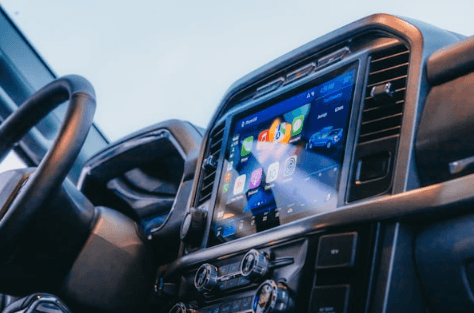
the dashboard of a vehicle with a touch screen by Hans is licensed with Unsplash License
Frequently Asked Questions
Is FordPass free to use?
FordPass is free to download and use for core features. Certain connected services and remote features require a compatible vehicle and active connectivity. If you’re unsure what’s included on your Ford, ask our team.
Which Ford models work with FordPass?
Most 2017+ vehicles equipped with FordPass Connect can use app features such as vehicle status and remote start (feature availability varies by model and package). We can confirm compatibility at your visit or by VIN via the contact form.
How do I connect my Ford to FordPass?
Create or sign in to your Ford Owner account, add your VIN, and follow the in-app prompts to authorize the vehicle. If you hit a snag, swing by or schedule a service appointment and we’ll help you pair it.
Why isn’t Remote Start working in the FordPass app?
Confirm app and vehicle software updates, verify your VIN, check cellular coverage, and toggle Remote Start/Automatic Updates in the vehicle settings. If issues persist, book Riverside Ford service for modem checks.
Can I schedule service through FordPass at Riverside Ford?
Yes. Use the app’s service scheduler or book online. Ask about Mobile Service if you prefer at-home or at-work maintenance in Macon.
0 comment(s) so far on How to Use FordPass to Schedule Service & Remote Start Your Ford